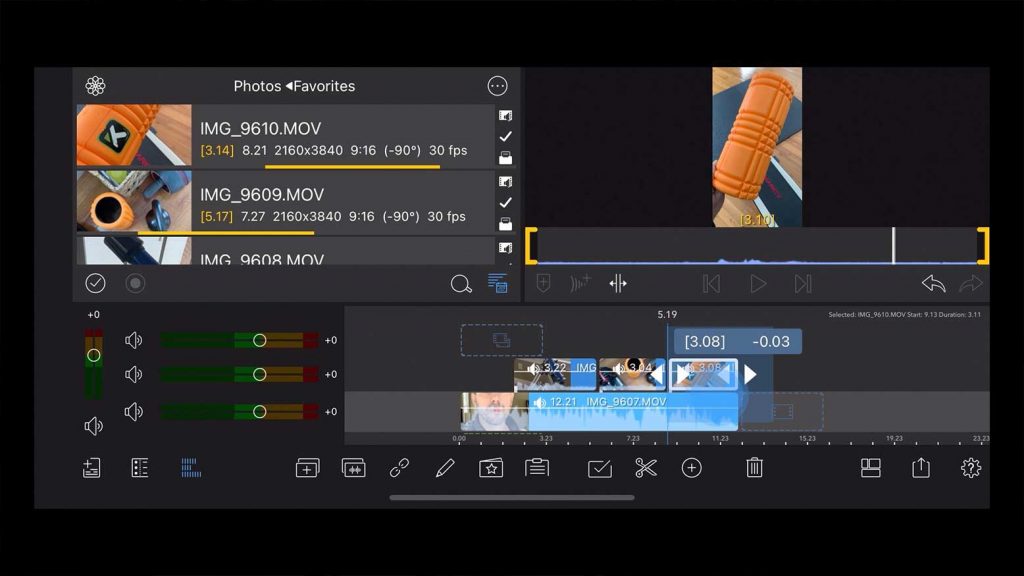
As a content creator, you know how important it is to have a solid video editing app in your toolkit. Whether you're a You Tuber, a social media influencer, or a blogger, video content is a crucial part of your online presence. But, let's be real, not all of us have the budget to invest in expensive video editing software. That's why I've put together a list of the best free video editing apps for content creators. These apps are not only free but also packed with features that can help you create stunning videos that engage your audience.
What to Look for in a Free Video Editing App
Before we dive into the list, let's talk about what to look for in a free video editing app. First and foremost, you want an app that's easy to use, even if you're a beginner. A user-friendly interface is essential, as it will save you time and frustration in the long run. You also want an app that offers a range of features, such as trimming, splitting, and merging clips, as well as adding text, transitions, and effects. Additionally, the app should support multiple file formats, including MP4, AVI, and MOV, and be able to export your final video in high definition.
Another important factor to consider is the app's system requirements. You want an app that can run smoothly on your device, without slowing it down or crashing. Finally, you want an app that's regularly updated, with new features and bug fixes added regularly. This will ensure that your app stays current and continues to meet your needs as a content creator.

Top Free Video Editing Apps for Content Creators
Now that we've covered what to look for in a free video editing app, let's take a look at some of the top options available. These apps are all highly rated and have been used by content creators just like you to create stunning videos.
First up is Shotcut, a free, open-source video editing app that's available for Windows, Mac, and Linux. Shotcut is a powerful app that offers a wide range of features, including support for multiple file formats, color correction, and audio editing. It also has a user-friendly interface that's easy to navigate, even for beginners. Another great option is Lightworks, a professional-level video editing app that's free to use, with optional paid upgrades. Lightworks has been used to edit some of the biggest movies and TV shows out there, and it's a great choice for content creators who want a high-end editing experience without the high-end price tag.
Next is VSDC Free Video Editor, a non-linear video editing app that's available for Windows. VSDC offers a wide range of features, including color correction, audio editing, and visual effects. It also has a user-friendly interface that's easy to navigate, and it's a great choice for content creators who want a high level of control over their editing process.

Mobile Video Editing Apps
But what about mobile video editing apps? If you're always on the go and need to edit videos from your phone or tablet, there are some great options available. One of the most popular mobile video editing apps is In Shot, a free app that's available for both i OS and Android. In Shot offers a wide range of features, including trimming, splitting, and merging clips, as well as adding text, transitions, and effects. It also has a user-friendly interface that's easy to navigate, even on a small screen.
Another great option is Adobe Premiere Rush, a free mobile video editing app that's available for both i OS and Android. Adobe Premiere Rush offers a wide range of features, including color correction, audio editing, and visual effects. It also has a user-friendly interface that's easy to navigate, and it's a great choice for content creators who want a high-end editing experience on their mobile device.

Finally, there's Da Vinci Resolve, a free video editing app that's available for both desktop and mobile devices. Da Vinci Resolve offers a wide range of features, including color correction, audio editing, and visual effects. It also has a user-friendly interface that's easy to navigate, and it's a great choice for content creators who want a high-end editing experience without the high-end price tag.
Tips for Using Free Video Editing Apps
Now that we've covered some of the best free video editing apps available, let's talk about some tips for using them. First and foremost, it's essential to have a clear idea of what you want to achieve with your video. This will help you stay focused and ensure that your editing process is efficient and effective. You should also have a good understanding of the app's features and how to use them, as this will save you time and frustration in the long run.
Another important tip is to keep your editing process simple, especially if you're a beginner. Don't try to do too much too soon, as this can lead to frustration and burnout. Instead, start with simple edits and gradually work your way up to more complex ones. You should also be patient and take your time, as editing can be a time-consuming process.

Finally, don't be afraid to experiment and try new things. Free video editing apps are a great way to learn and improve your editing skills, and they can help you create stunning videos that engage your audience. With a little practice and patience, you can become a pro at using free video editing apps and take your content to the next level.
Conclusion
In conclusion, free video editing apps are a great way for content creators to create stunning videos without breaking the bank. With a wide range of features and user-friendly interfaces, these apps are perfect for beginners and experienced editors alike. Whether you're looking for a desktop or mobile app, there are plenty of options available, and with a little practice and patience, you can become a pro at using them.
So, what are you waiting for? Download one of the free video editing apps mentioned in this article and start creating stunning videos today. With their help, you can take your content to the next level and engage your audience like never before. Happy editing!