
In today's digital age, distractions are everywhere. With the rise of social media, online shopping, and endless email notifications, it's easy to get sidetracked and lose focus on what's really important. As a result, many of us struggle to stay productive and manage our time effectively. However, there's hope. By leveraging the power of Chrome extensions, you can block distractions, stay on track, and achieve your goals. In this article, we'll explore the best Chrome extensions to help you do just that.
Introduction to Chrome Extensions
For those who may be new to Chrome extensions, they're essentially small software programs that can be added to the Google Chrome browser to enhance its functionality. With thousands of extensions available, you can customize your browsing experience to suit your needs. From productivity tools to entertainment apps, there's an extension for almost everything. When it comes to blocking distractions and saving time, Chrome extensions can be a game-changer.
Top Extensions for Blocking Distractions
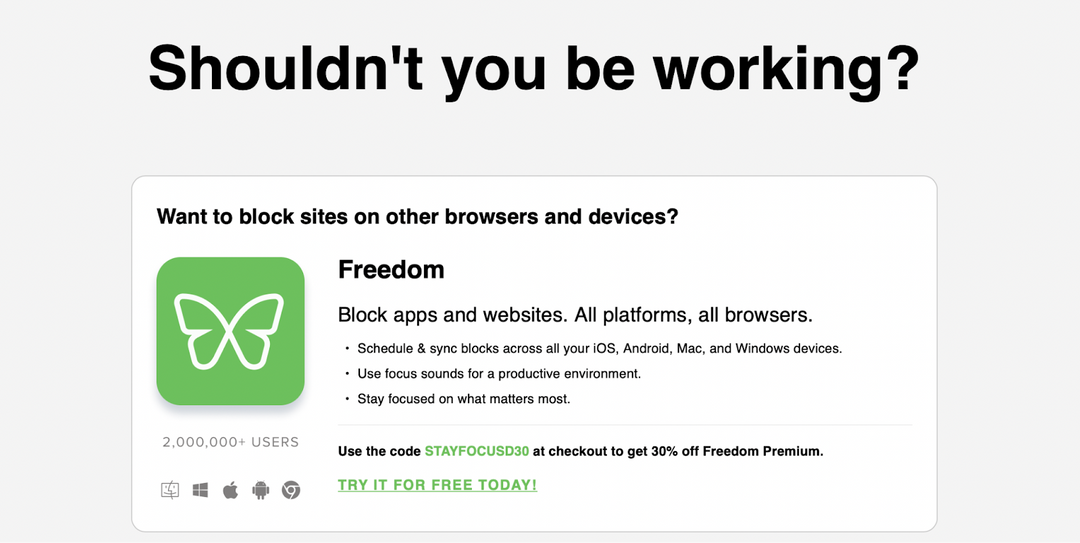
So, what are the best Chrome extensions for blocking distractions? Let's take a look at some of the most popular and effective options. Firstly, there's Freedom. This extension blocks distracting websites and apps across all your devices, helping you stay focused on what matters. With Freedom, you can schedule block sessions, set up custom block lists, and even track your productivity.

Another great option is Stay Focusd. This extension helps you stay on track by limiting your access to time-wasting websites. You can set a daily time limit for distracting sites, and once you've reached that limit, Stay Focusd will block those sites for the rest of the day. It's a simple yet effective way to avoid procrastination and stay focused. Additionally, Stay Focusd allows you to set up a "block list" of distracting websites, making it easy to avoid temptation.
Extensions for Time Management
In addition to blocking distractions, there are also Chrome extensions that can help you manage your time more effectively. One such extension is Rescue Time. This extension tracks how you spend your time online, providing detailed reports on your productivity and time usage. With Rescue Time, you can identify time-wasting activities, set goals, and receive alerts to help you stay on track.
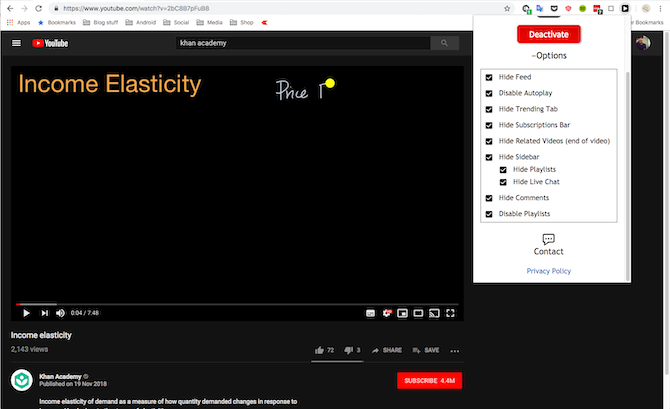
Another great time management extension is Toggl. This extension allows you to track your time spent on various tasks and projects, making it easy to stay organized and focused. With Toggl, you can set up custom time tracking, generate reports, and even integrate with other productivity tools. By using Toggl, you can optimize your workflow, reduce distractions, and achieve more in less time.
Extensions for Minimizing Digital Noise
In today's digital world, it's easy to get overwhelmed by digital noise. From social media notifications to email alerts, it's easy to get sidetracked by constant distractions. However, there are Chrome extensions that can help you minimize digital noise and stay focused. One such extension is News Feed Eradicator. This extension removes your news feed from Facebook, Twitter, and other social media platforms, helping you avoid mindless scrolling and stay on track.

Another great extension for minimizing digital noise is u Block Origin. This extension blocks ads, trackers, and other online annoyances, helping you browse the web without distractions. With u Block Origin, you can customize your blocking settings, whitelist certain sites, and even protect yourself from malware and other online threats.
Extensions for Improving Productivity
In addition to blocking distractions and minimizing digital noise, there are also Chrome extensions that can help you improve your productivity. One such extension is Forest. This extension gamifies productivity, encouraging you to stay focused by growing a virtual forest. With Forest, you can set up custom productivity sessions, track your progress, and even compete with friends to stay motivated.

Another great productivity extension is Momentum. This extension replaces your new tab page with a motivational dashboard, helping you stay focused and on track. With Momentum, you can set up custom goals, track your progress, and even access a range of productivity tools and resources. By using Momentum, you can optimize your workflow, reduce distractions, and achieve more in less time.
Conclusion
In conclusion, Chrome extensions can be a powerful tool for blocking distractions, saving time, and improving productivity. By leveraging the right extensions, you can customize your browsing experience, stay focused, and achieve your goals. Whether you're looking to block distracting websites, manage your time more effectively, or minimize digital noise, there's a Chrome extension out there to help. So why not give some of these extensions a try? With the right tools and a bit of discipline, you can stay on track, achieve more, and make the most of your time.
As we've seen, the best Chrome extensions for blocking distractions and saving time are those that help you stay focused, manage your time effectively, and minimize digital noise. By using extensions like Freedom, Stay Focusd, Rescue Time, and Toggl, you can optimize your workflow, reduce distractions, and achieve more in less time. And with extensions like Forest and Momentum, you can even gamify productivity and stay motivated. So what are you waiting for? Start exploring the world of Chrome extensions today and discover a more productive, focused you.
Remember, staying productive and focused in today's digital age requires a combination of the right tools, a bit of discipline, and a willingness to adapt. By leveraging the power of Chrome extensions, you can take control of your time, minimize distractions, and achieve your goals. So don't let distractions hold you back – start using Chrome extensions to block distractions, save time, and unlock your full potential.
Final Thoughts
In the end, it's all about finding the right balance between productivity and relaxation. By using Chrome extensions to block distractions and save time, you can create a healthier, more sustainable workflow that allows you to achieve your goals without burning out. So take the first step today and start exploring the world of Chrome extensions. With the right tools and a bit of creativity, you can unlock your full potential, achieve more, and make the most of your time.
As you start using Chrome extensions to block distractions and save time, remember to stay flexible and adapt to changing circumstances. Don't be afraid to try new extensions, experiment with different workflows, and adjust your approach as needed. And most importantly, don't forget to take breaks, relax, and recharge – after all, productivity is all about finding a sustainable balance between work and play.
Additional Resources
For those looking to learn more about Chrome extensions and productivity, there are many additional resources available. From blogs and tutorials to online courses and communities, you can find a wealth of information to help you get started. Some popular resources include the Chrome Web Store, productivity blogs like Lifehacker and Productivityist, and online communities like Reddit's r/productivity. [IMAGE]
By leveraging these resources and experimenting with different Chrome extensions, you can take your productivity to the next level and achieve more in less time. So don't be afraid to explore, experiment, and adapt – with the right tools and a bit of creativity, you can unlock your full potential and make the most of your time.
Final Tips
As you start using Chrome extensions to block distractions and save time, here are a few final tips to keep in mind. Firstly, start small and experiment with different extensions to find what works best for you. Don't be afraid to try new things and adjust your approach as needed. Secondly, remember to stay flexible and adapt to changing circumstances – productivity is all about finding a sustainable balance between work and play.
Finally, don't forget to take breaks, relax, and recharge. Productivity is not just about getting more done in less time – it's also about taking care of yourself and maintaining a healthy work-life balance. By using Chrome extensions to block distractions and save time, you can create a more sustainable workflow that allows you to achieve your goals without burning out. So take the first step today and start exploring the world of Chrome extensions – your productivity (and sanity) will thank you.